
Characters, with context
Connect names and aliases with notes, images and chapter-specific details. Open a character tooltip with a click or on hover.
MiraValeOrin
A little clarity. A better chapter.
Keep characters, aliases and chapter notes close. Make translated names consistent, personalize your reading, and call on AI when you need a recap or an image.
Mira reached the archive before dawn. Across the bridge, Vale held the last lantern. “The city remembers every name,” he said.
Behind them, Orin opened the silver gate — and the story began again.
Your chapter, with a little more context.
01 / THE READER’S DILEMMA
A hundred names. A new translation. A week between chapters. A good story deserves your attention, without the extra detective work.
A CHAPTER WITH STORY LENS
Follow a real reading session in The Lantern Archive, an original sample story. See how your glossary stays close while you read.
35-second walkthrough
A short walkthrough of the extension in action, with on-screen captions and no sound.
Open any screenshot for a closer look.
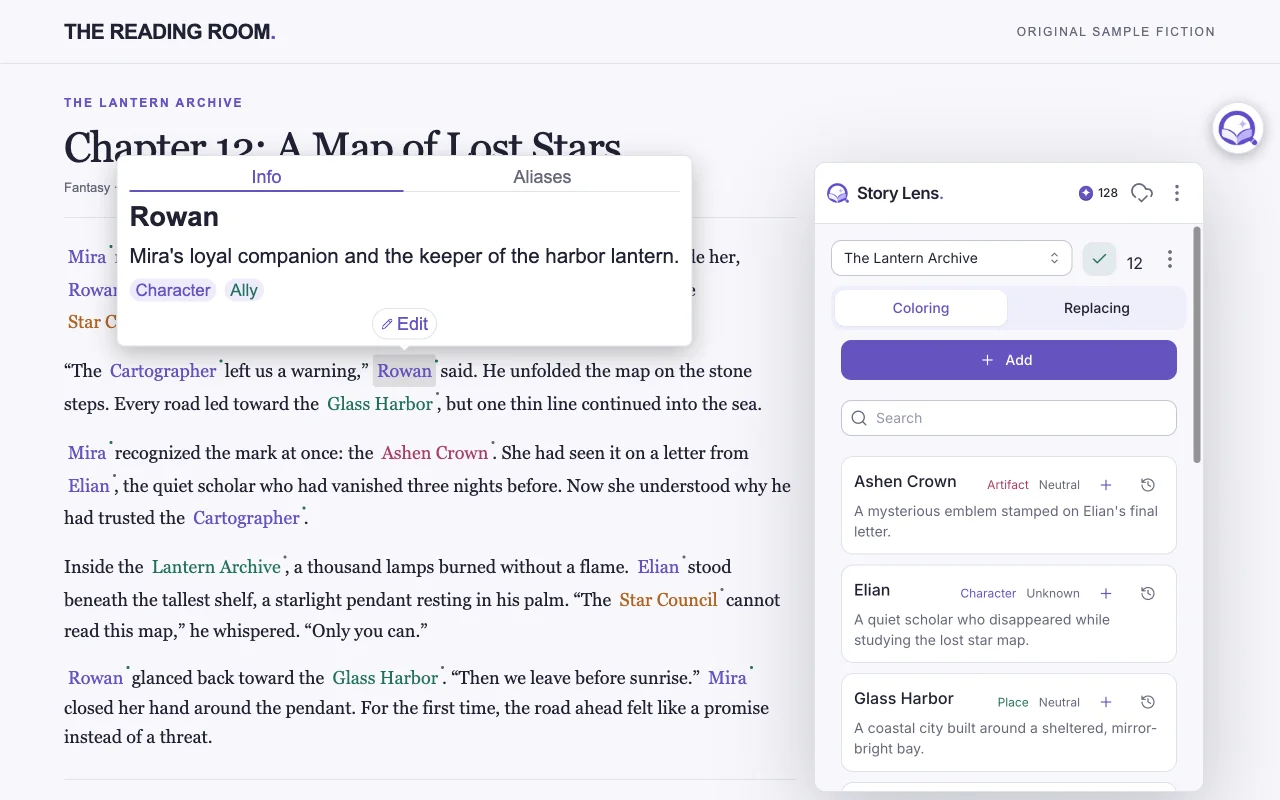
Give characters, places, and factions their own colors.
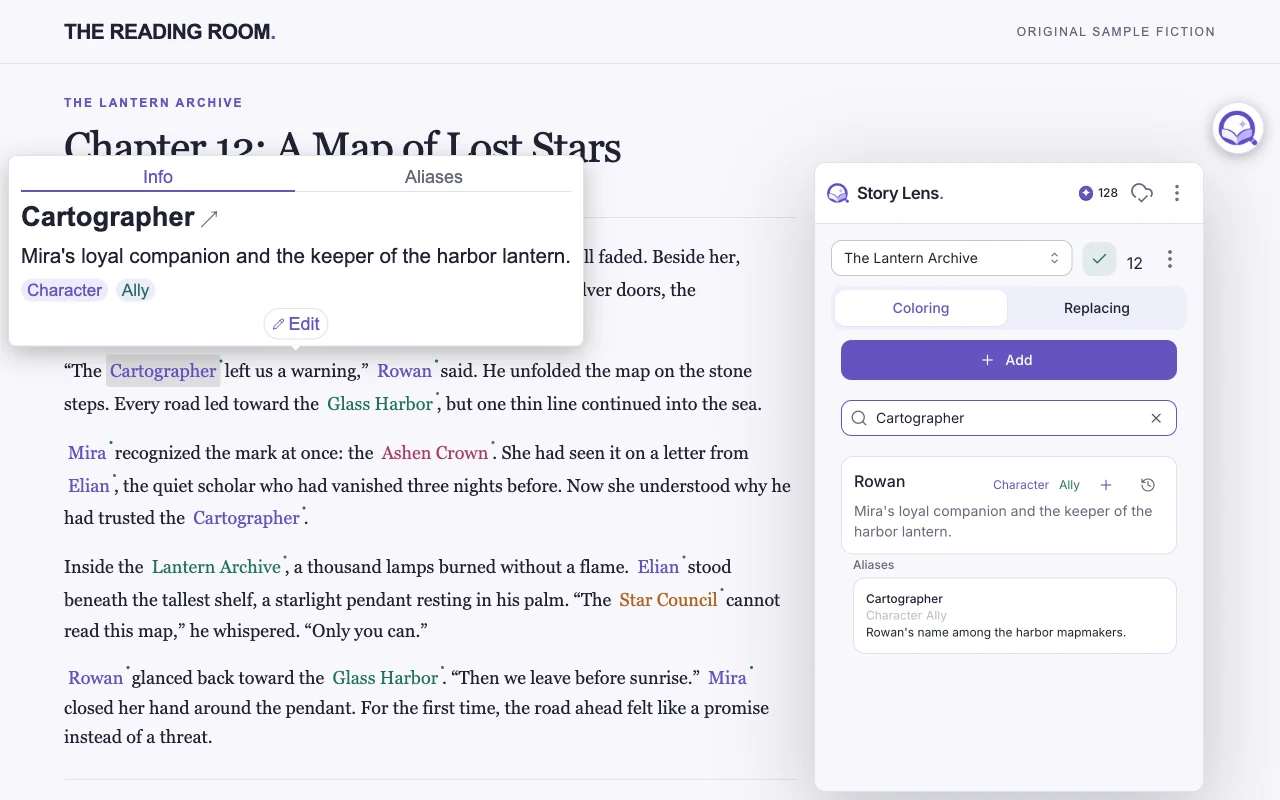
Keep an alias linked to the character you already know.
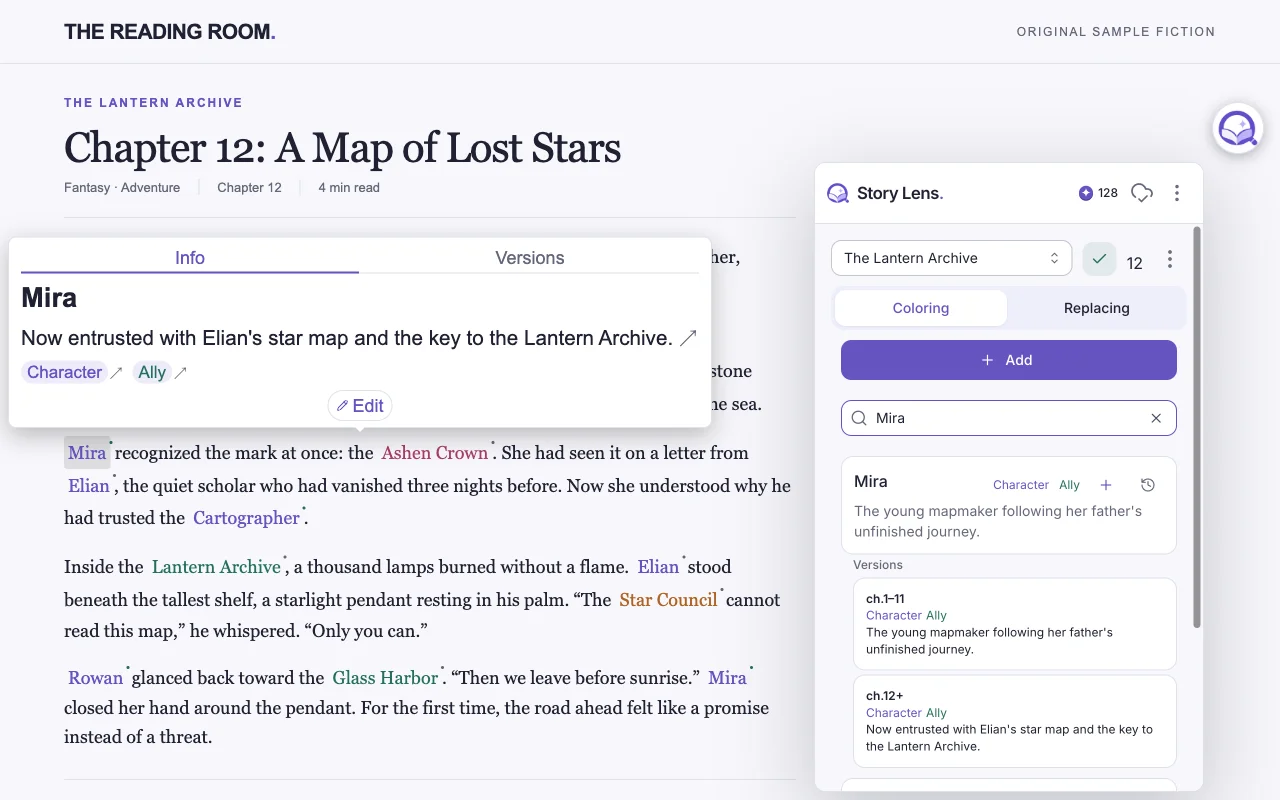
See the character details saved for your current chapter.
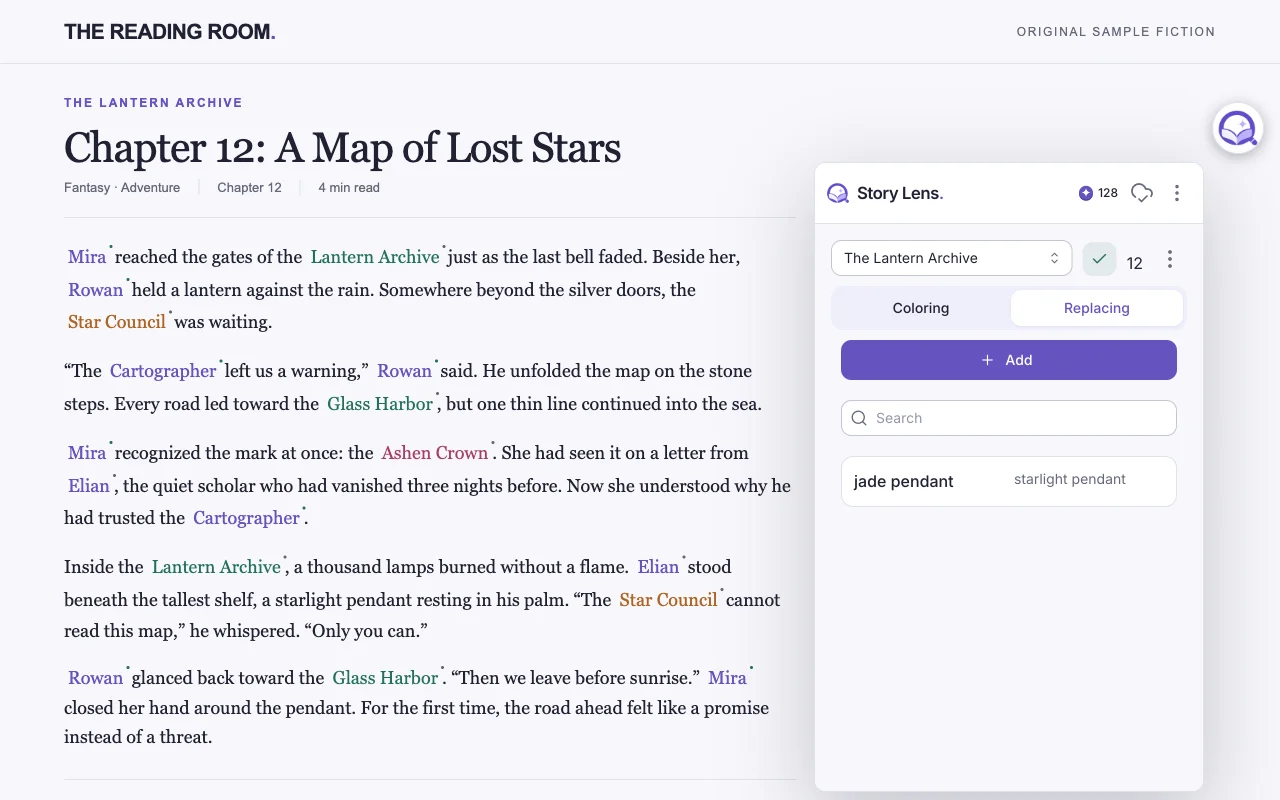
Swap a phrase for the term you prefer as you read.
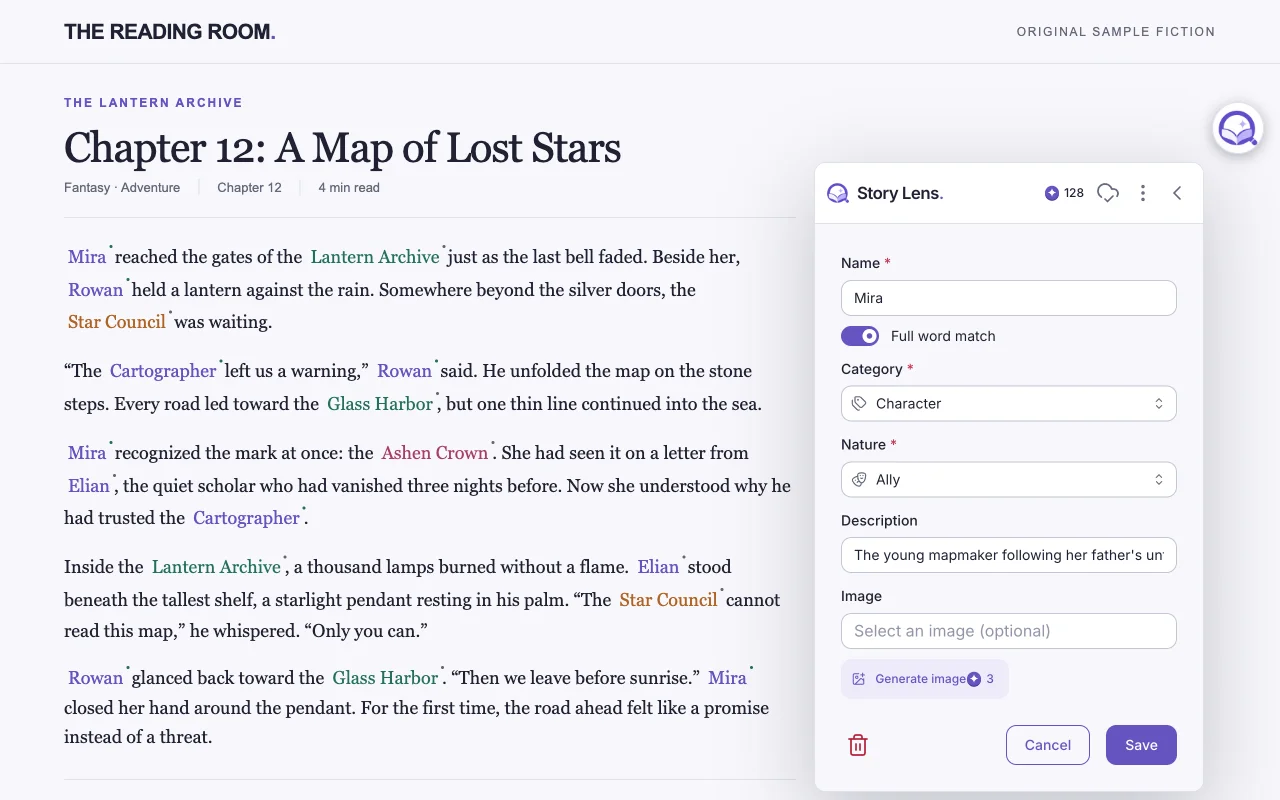
Edit character details without leaving your reading page.
INSIDE THE EXTENSION
Real extension screens with sample data. The interface follows your light or dark theme.
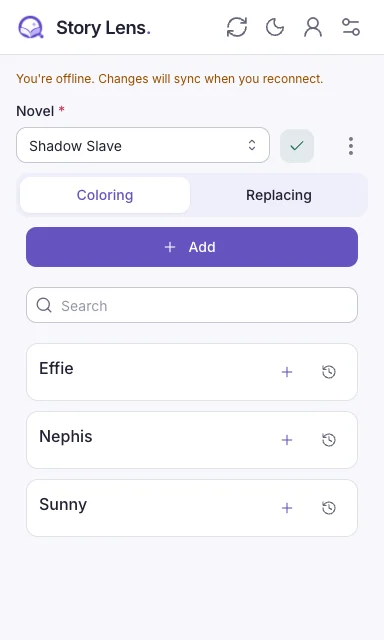
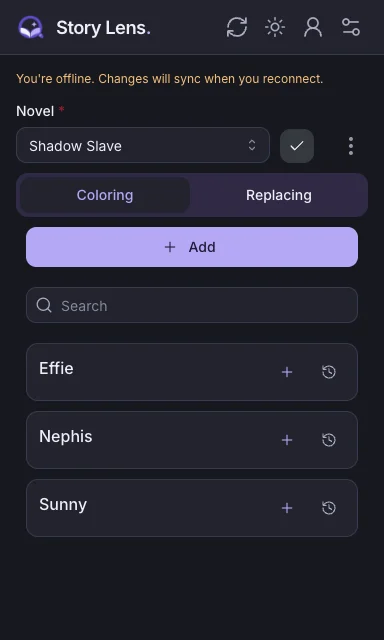
Keep keywords, aliases, and chapter versions together.
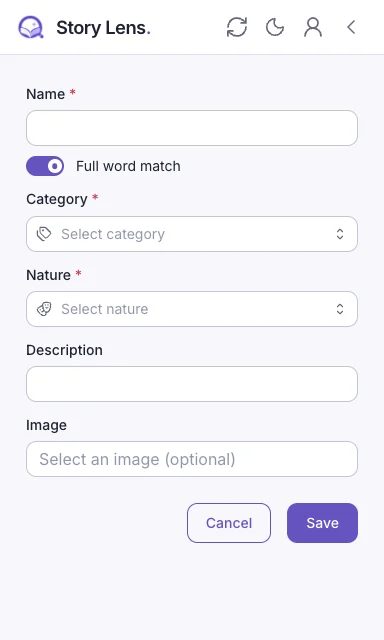
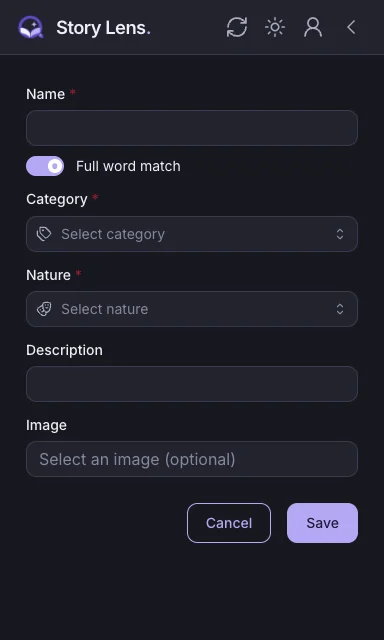
Forms use the full page beneath the navigation bar.
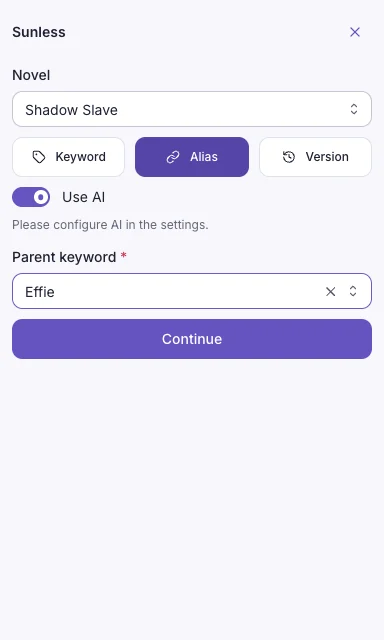
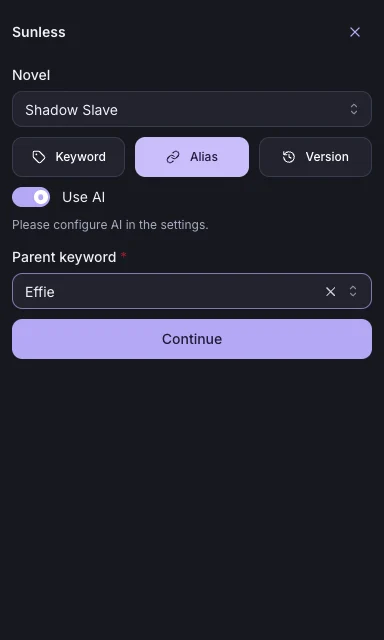
Select text, choose its role, and find its parent with fuzzy search.
02 / Features
Build a glossary that grows with the story, keep your preferred names and colors, and add AI only when you want it.
Connect names and aliases with notes, images and chapter-specific details. Open a character tooltip with a click or on hover.
Replace inconsistent names or phrases with your preferred terms, directly on the reading page.
Recognize supported novel pages with site selectors. Ask your selected Cloud or Desktop AI to help detect a new page layout.
Open multiple popup tabs beside your chapter. Switch between character forms while AI works, with progress shown on each tab.
Download a novel’s glossary and reference data. Supported edits stay on your device and sync when you reconnect.
Keep English and Arabic names and descriptions together. Link translations, connect aliases, and match Arabic names even when vowel marks differ.
Choose personal category and nature colors, adjust tooltip text size, and turn on a warm night light. Optional word effects add sparkle, heat, shaking or glitching.
Summarize a page, suggest character details, extract a chapter’s cast or create character images. Choose lens-funded Cloud or your own desktop AI account.
Generate a cinematic cover from the chapter, novel context and character references. Readers share the saved artwork; automatic generation is off by default.
03 / TRY A CHAPTER
An original miniature story. Switch on the tools and watch the same passage become easier to follow.
Illustrative demo; no page content is sent anywhere.
Mira reached the archive before dawn. Across the bridge, Captain Vale held the last lantern. “The city remembers every name,” he said. Behind them, Orin opened the silver gate — and the story began again.
04 / How it works
Install Story Lens from the Chrome Web Store.
On a supported novel site, the lens appears beside the page.
Find or add character information, use available replacements, and keep reading.
05 / OPTIONAL DESKTOP COMPANION
Use the free companion with Claude Code, Codex or Gemini CLI for summaries, character suggestions, chapter extraction and novel research. Desktop images use Codex, independently of your text provider. The companion can also build a character list from a novel’s wiki.
Installers are available for Windows, macOS (Intel and Apple Silicon), and Linux. Packages are unsigned, so your operating system may ask you to allow the app. Your AI provider’s plan and limits still apply.
07 / Questions
Sites with configured chapter selectors support automatic novel detection. The text picker and AI tools can also work on ordinary web pages; browser-internal pages are excluded. You can ask your selected Cloud or Desktop AI to help detect a page layout.
You can start with a guest account. Register on this website to contribute where your permissions allow, use Story Lens Cloud and manage your lenses. The extension in this browser can connect to the same account.
Downloaded novel reference data remains available offline. Supported local edits queue for synchronization; new server requests and AI features need a connection. Downloading reference data does not download the novel’s chapters.
Choose Story Lens Cloud with lenses, or the free desktop companion with your own Claude Code, Codex or Gemini CLI account. Text and image sources can be chosen separately. Desktop image generation uses Codex; provider plans and usage limits still apply.
Generate a cover from the current chapter, novel context and mentioned characters’ descriptions and images. The saved cover is shared with readers of that chapter and appears before its text. Automatic generation is off by default; enabling it can spend lenses when Cloud is your image source.
Personal category and nature colors change how you see the story and sync with your account. They do not replace the shared colors for other readers. You can clear an override to return to the shared color.
Yes. The extension and website support English and Arabic with right-to-left layout. Glossary entries can hold names and descriptions in both languages, and Arabic matching ignores vowel marks with optional alif-variant matching.
The source includes Firefox builds. A published Firefox listing has not been verified, so we currently link to Chrome and the source repository.
The source is available under PolyForm Noncommercial 1.0.0. Commercial use requires separate permission.
The extension’s reading tools are free. Story Lens Cloud AI actions use lenses, with current prices on the Pricing page. The desktop companion uses no lenses; your own AI provider’s plan and limits apply.
THE NEXT CHAPTER IS YOURS
A familiar cast. A clearer chapter. A little lens for your next read.